


Mobile entertainment demands high stability right from initial installation. Completing the JILI18 Download App process helps users optimize hardware resources, reduce reliance on browser cache, and maintain smooth response speeds. The content below analyzes app architecture, device compatibility requirements, common troubleshooting solutions, and safe operating standards.
Comparing Web Browser Experience and the JILI18 App Version
Many players still weigh accessing directly via a mobile browser against installing a dedicated application. The breakdown below clarifies differences in performance and usability during real-world play:
- Connection stability: The standalone app maintains steadier sessions, reducing page reloads when switching back and forth between other apps on your phone.
- Input response speed: Locally stored graphic interfaces allow navigation buttons and game categories to appear almost instantaneously.
- Proactive notification management: Users easily receive system update alerts without opening a browser to check manually.

System Requirements and Preparation Before Downloading the JILI18 App
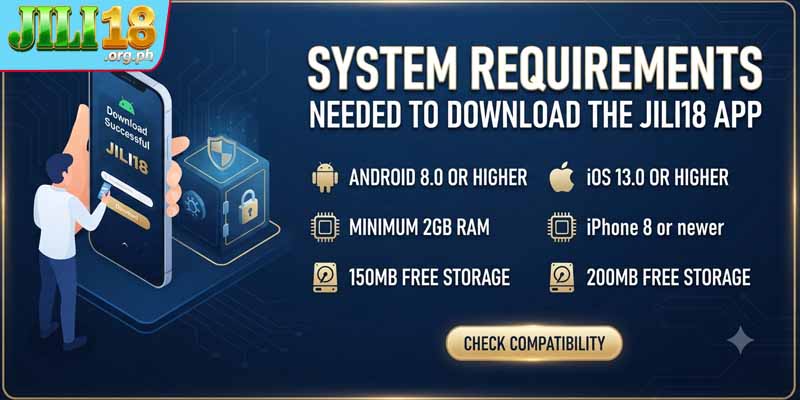
To ensure the Download App process runs seamlessly without software conflict errors, your device needs to meet several basic system standards. Checking ahead saves troubleshooting time later on.
Check Storage Space and Operating System Version
Available memory plays a decisive role in the app’s ability to unpack and run smoothly after installation:
- Ensure your device has at least 300MB to 500MB of free space to hold the installation package as well as data generated during use.
- Update your Android or iOS operating system to stable releases to avoid graphic library incompatibility errors.
- Temporarily close RAM-heavy background apps before launching the installation file.
Verify Official Download Links from JILI18
The source of the installation file directly affects device safety and personal data protection:
- Only perform a Download App from the official JILI18 homepage via default browsers such as Chrome or Safari.
- Inspect the website domain carefully and ensure the connection carries an HTTPS security certificate before tapping the download button.
- Never install files shared through unfamiliar messages or unverified intermediary sites.
Fast Installation Workflow and Common Error Troubleshooting
Instead of scattered steps, you can follow a streamlined process paired with error checks right during setup. This approach suits players’ flexible smartphone habits.
- Access permission preparation step: On Android devices, enable permission to install apps from trusted sources beforehand; on iOS, prepare to verify the configuration profile under Device Management.
- Fixing interrupted download errors: If the progress bar stalls mid-way, switch between Wi-Fi and 4G/5G mobile data to refresh the transfer stream.
- Resolving app launch failures: Restart your device after installation finishes so the system clears temporary memory and recognizes all app operating permissions properly.
Principles for Long-Term Reliable App Maintenance
Successful installation is only the first step toward steady daily use. Maintaining structured app management habits keeps your device running lightly and protects data effectively.
- Update to new versions periodically: Watch for upgrade notices from JILI18 to apply security patches and performance improvements promptly.
- Never share login credentials: Keep your account password private while enabling biometric or PIN screen locks on your device.
- Clear cache periodically: Clear temporary app data once a month to remove accumulated junk files.

Mastering technical standards before completing the JILI18 Download App process helps players proactively control installation quality, minimize security risks, and maintain a smooth entertainment experience across every device model. Thorough preparation right from the start always delivers lasting operational reliability.
